
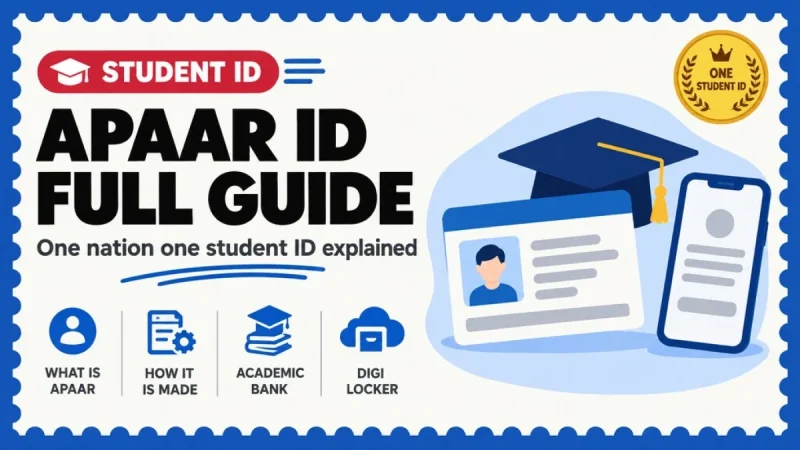
APAAR is a permanent 12-digit academic ID that holds your credits for life. Over 26 crore have been generated. Here is who creates it, why school students cannot do it themselves, and what to do when the name does not match Aadhaar.
Quick snapshot
- APAAR stands for Automated Permanent Academic Account Registry — a unique 12-digit student ID under the "One Nation, One Student ID" initiative.
- It is the Academic Bank of Credits (ABC) ID, renamed. The two are now the same identifier, not two separate things.
- 26.35 crore verified APAAR IDs had been generated across India as on 2 July 2026, per the Ministry of Education.
- School APAAR IDs are generated by the school on the UDISE+ side against the student's PEN, after a voluntary parental consent form.
- Your name in UDISE+ must match your name as per Aadhaar, or generation fails. This is the single most common blocker.
- Once generated, the APAAR ID is pushed into your DigiLocker and appears under Issued Documents.
- Credits stored in ABC are valid for a maximum of 7 years or the period prescribed for the discipline, and cannot be reused once redeemed.
APAAR ID is a unique 12-digit student identification number linked to the Academic Bank of Credits, introduced under the "One Nation, One Student ID" initiative aligned with NEP 2020 and the National Credit Framework. It creates a single, permanent academic identity that holds your marksheets, grade sheets, degrees, diplomas, certificates and credits, and is accessible through DigiLocker and the ABC platform.
School students do not create it themselves. The school generates it on UDISE+ against the student's PEN after collecting a voluntary parental consent form, and DigiLocker confirms that students under the age of 16 cannot create their APAAR ID directly through the DigiLocker app or website. Higher education students get an APAAR ID through ABC registration linked to Aadhaar and DigiLocker, and APAAR IDs can also be generated at the nearest Common Service Centre (CSC).
1. What APAAR actually is, and who it is for
Three names get used for the same thing and it confuses everybody, so take the hierarchy slowly.
| Term | What it is | Who runs it |
|---|---|---|
| APAAR ID | Your permanent 12-digit academic identity. The ABC ID, renamed | Ministry of Education |
| Academic Bank of Credits (ABC) | The digital platform that stores, manages, transfers and redeems your academic credits | Ministry of Education, regulated by UGC |
| National Academic Depository (NAD) | The backbone that securely stores all academic awards and records; institutions issue certificates and marksheets through it | Ministry of Education |
| DigiLocker | Where you, the student, actually see and share the APAAR ID card and your documents | MeitY |
| UDISE+ / PEN | The school education database and the Permanent Education Number against which school APAAR IDs are generated | Department of School Education & Literacy |
APAAR covers school education, higher education, and skill and vocational education. The Ministry's position is that it brings a student's records from higher education, skill and vocational education and other professional learning programmes onto one platform, with school education records also to be creditised and mapped with APAAR under NAD-ABC.
The scale is already very large. As on 2 July 2026, 26.35 crore verified APAAR IDs had been generated nationwide. Of the mapped totals reported by the Ministry, 16.62 crore sit in school education, and 2,899 higher education institutions had registered for ABC with 4.79 crore APAAR IDs created and mapped to awarding institutions and 9.78 crore credit records mapped to learners' APAAR IDs. Another 3.39 crore APAAR IDs are reported as unmapped, which in plain terms means an ID exists but no institution has attached records to it yet.
2. How a school APAAR ID is generated
This is the part parents get wrong. You do not apply for it. The school does, and your job is the consent form and the Aadhaar match.
Parents are briefed at the school
The documented flow is: parents visit the school to learn about APAAR ID, then fill the consent form. There is no online application for a school student.
The parental consent form is filled, voluntarily
You enter the student's name, select father, mother or legal guardian, pick an identity proof type — the options include Aadhaar, PAN, EPIC/Voter ID, driving licence or passport — and record the place and date of physical consent. The Head of School or an authorised teacher makes the declaration.
The student's Aadhaar is verified in UDISE+
Schools use the Aadhaar MBU module to validate Aadhaar from UIDAI and check whether the mandatory biometric update is done or pending. This establishes the active status of the student's Aadhaar and prevents duplicate records.
The school raises the request from the APAAR module
In the UDISE+ school login, the APAAR module requires that the student's Aadhaar is verified and the profile is complete. The school selects the class and section and clicks generate to initiate the request.
UDISE+ generates the APAAR ID against the PEN
The PEN (Permanent Education Number) is mandatory for APAAR generation. The system issues the 12-digit APAAR against that PEN.
The ID lands in DigiLocker automatically
As soon as the APAAR ID is generated it is pushed into the student's DigiLocker account. The virtual APAAR ID card appears in the Issued Documents section.
Mandatory student details for APAAR generation are the PEN, student name, date of birth, gender, mobile number, mother's name, father's name, name as per Aadhaar and Aadhaar number. If any of those is blank or inconsistent in UDISE+, the request will not go through.
3. Higher education: ABC registration and credits
College and university students come at it from the other side. Students register on the ABC portal and receive a unique ABC ID — now renamed APAAR ID — linked to their Aadhaar and DigiLocker account. Eligible higher education institutions and skill awarding bodies can use the ABC facility.
What gets stored, and who stores it, matters:
- Award Granting Institutions upload the credit data directly to the NAD-ABC portal against each student's APAAR ID. DigiLocker's own guidance is explicit: the details attached to your APAAR ID are fetched from Aadhaar, while credit points are uploaded solely by the university.
- Credits are valid for a maximum of 7 years, or the duration prescribed for the relevant academic discipline. Once redeemed, credits cannot be reused for transfer or redemption again.
- Multiple Entry Multiple Exit (MEME) runs on this: a certificate after one year, a diploma after two, a degree after three or four. The Ministry reports more than 700 universities and 6,600 colleges offering multiple entry and exit options.
- SWAYAM credits count. Students may avail up to 40% of credits from the SWAYAM online platform, with about 450 universities having adopted the regulation.
- The National Credit Framework (NCrF), which covers academic, vocational and experiential learning, has been adopted by 196 universities as of 2026.
For 2025 examinations, UGC mandated all higher education institutions to upload credit data on the NAD-ABC portal by 30 June 2026. If your grade sheet is missing from ABC, that mandate is the thing to quote to your college office.
One benefit people do not know about
By authenticating the APAAR ID, students aged 13 to 30 can unlock travel benefits including up to a 10% discount on base airfares and an extra 10 kg baggage allowance, as stated by the Ministry of Education. Terms are set by the participating airlines, so check at the time of booking rather than assuming it applies to every fare class.
4. How a student accesses the APAAR ID through DigiLocker
DigiLocker is the student-facing window. Access depends on age, and this is where most searches land.
If you are a school student
- You cannot generate it yourself. DigiLocker states that students under 16 cannot create their APAAR ID directly through the app or website.
- If you see the message "school students should contact their respective schools", that is this rule firing.
- Ask the school to raise the request from the UDISE+ APAAR module.
- Once generated, open DigiLocker and look under Issued Documents for the APAAR ID card.
If you are in college or a skill programme
- Register on the ABC platform; the ID links to your Aadhaar and DigiLocker.
- Institutions can offer single sign-on with APAAR ID on their own platforms.
- Credits and grade sheets appear only after your institution uploads them to NAD-ABC.
- Data uploaded to ABC becomes visible in DigiLocker if it is seeded with the ABC or APAAR ID.
A useful legal point while you are in DigiLocker: documents in the Issued Documents section are legally at par with originals under Section 9A of the Information Technology Act, 2000, and should be accepted by the concerned authorities. Keep that line handy when a clerk insists on a photocopy of the original.
Two practical DigiLocker facts that save repeat trips. You can create up to five Aadhaar-verified DigiLocker accounts using a single mobile number, but only one non-verified account on that number. And DigiLocker accounts are individual — you can only fetch documents issued in your own name, so each child needs their own account rather than sitting inside a parent's.
5. Consent, withdrawal and what you are actually agreeing to
APAAR is built on consent, and the official framing is worth reading carefully rather than paraphrasing loosely.
- Parental consent is required if the student is a minor, and the consent form is filled voluntarily.
- The APAAR terms state you may access the platform only if you are above 18 or under the supervision of a parent or guardian, and the licence granted to use the site is described as revocable.
- The privacy policy is framed around your free, specific, informed, unconditional and unambiguous consent to the processing of personal data.
- Document sharing through APAAR is consent-based, so you control what moves to whom.
- The platform states it is fully compliant with the Digital Personal Data Protection Act, and that academic data remains within India's sovereign digital infrastructure.
On withdrawal: because consent for a minor is given through the school, withdrawal has to go back through the same channel. Write to the Head of School, keep an acknowledged copy, and escalate to the Block, District or State UDISE+ administrator if there is no action — that is the escalation path the UDISE+ school guide itself points to for student-record changes. There is no self-service "delete my APAAR" button for a school student, and you should not expect one.
6. Name and date-of-birth mismatches: how to fix them
Most APAAR failures are not policy problems. They are data problems between three databases: Aadhaar, UDISE+ and the institution's own records.
| Problem | Why it happens | What to do |
|---|---|---|
| UDISE+ name does not match Aadhaar | APAAR generation requires the UDISE+ name to match the name as per Aadhaar | Fix whichever is wrong. Correct Aadhaar at an enrolment centre, or ask the school to correct UDISE+ through the student's general profile |
| Gender, DOB, mother's or father's name wrong | Data entered before Aadhaar verification | If Aadhaar is not verified, the school can update these in the student's general profile. If Aadhaar is verified, the school must contact the Block, District or State admin |
| Aadhaar number itself is wrong | Typing error at enrolment | If Aadhaar is not verified, the school can update it. If Aadhaar is verified and APAAR is already generated, the Aadhaar number cannot be changed at school level — the admin has to be approached |
| Degree or marksheet will not fetch into DigiLocker | Name mismatch between the certificate and Aadhaar | DigiLocker states that in a name-mismatch case you will not be able to fetch the document. Approach your institution to update the name on the record |
| Credits or grade sheets missing | Only the university can upload them | Push your institution to upload to NAD-ABC. Raise a ticket at the DigiLocker or NAD support desks if the issuer says it has already uploaded |
Do this before you argue with anyone
- Get the Aadhaar right first. Everything downstream — UDISE+, APAAR, DigiLocker fetch, ABC credits — keys off the Aadhaar name and date of birth. Fixing Aadhaar last means doing the whole chain twice.
- Do not let a school generate a second APAAR because the first one "has a spelling mistake". A permanent ID with a correction request is better than two IDs splitting your record.
- Never pay an agent to "create an APAAR ID". It is generated by your school or through ABC registration, and CSCs serve remote areas as official on-ground points.
- Foreign students without Aadhaar: the government has said a procedure for creating APAAR IDs for foreign students is still being established, so do not assume the normal route will work.
Frequently asked questions
What is APAAR ID and how many digits is it?
APAAR stands for Automated Permanent Academic Account Registry. It is a unique 12-digit student identification number linked to the Academic Bank of Credits, introduced under the One Nation One Student ID initiative in alignment with NEP 2020 and the National Credit Framework. It gives every learner a single permanent academic identity holding marksheets, grade sheets, degrees, diplomas, certificates and credits.
Is APAAR ID the same as the ABC ID?
Yes. The Ministry of Education describes the ABC ID as having been renamed the APAAR ID. Students register on the ABC portal and receive a unique ABC ID, now called APAAR ID, linked to their Aadhaar and DigiLocker account. You do not need two separate numbers.
Can a student create an APAAR ID themselves?
School students cannot. DigiLocker states that students under the age of 16 cannot create their APAAR ID directly through the DigiLocker app or website, and that school students should contact their respective schools. The school raises the request from the APAAR module in UDISE+ after parental consent and Aadhaar verification. Higher education students get it through ABC registration, and APAAR IDs can also be generated at the nearest Common Service Centre.
Is parental consent compulsory for APAAR?
Parental consent is required if the student is a minor, and the documented process is that parents fill the consent form voluntarily at the school. The form captures the student's name, the father, mother or legal guardian, an identity proof type such as Aadhaar, PAN, Voter ID, driving licence or passport, and the place and date of physical consent, with a declaration by the Head of School or an authorised staff member.
Where do I see my APAAR ID card?
In DigiLocker. As soon as the APAAR ID is generated it is pushed into the student's DigiLocker account, and the virtual APAAR ID card appears in the Issued Documents section. Documents in that section are legally at par with originals under Section 9A of the Information Technology Act, 2000.
What exactly gets stored against my APAAR ID?
Academic credits and records. Award Granting Institutions upload credit data directly to the NAD-ABC portal against each student's APAAR ID, and the National Academic Depository stores the academic awards and records. Your demographic details are fetched from Aadhaar, while credit points are uploaded solely by your university. Credits are valid for a maximum of seven years, or the duration prescribed for the discipline, and cannot be reused once redeemed.
My name in school records does not match Aadhaar. What happens?
APAAR generation fails. The name of the student as per UDISE+ records must match the name as per Aadhaar, and the PEN is mandatory. If Aadhaar is not yet verified, the school can update details through the student's general profile. If Aadhaar is verified, the school must approach the Block, District or State administrator, and once Aadhaar is verified and APAAR is generated, the Aadhaar number itself cannot be changed at school level.
Can parental consent for APAAR be withdrawn?
Consent for a minor is given through the school, so withdrawal has to travel back through the same channel. Write to the Head of School, keep an acknowledged copy, and escalate to the Block, District or State UDISE+ administrator if nothing happens, since that is the escalation route the UDISE+ school guide specifies for student-record changes. The APAAR terms describe the licence to use the platform as revocable and the privacy policy is built on free, specific, informed and unambiguous consent, but there is no self-service deletion option for a school student.
Sources: PIB / Ministry of Education — factsheet on Academic Bank of Credits and APAAR, 4 July 2026 (26.35 crore verified APAAR IDs, credit validity, MEME, SWAYAM, NCrF, CSC registration, institution-wise mapping); PIB — National Conference on APAAR: One Nation One Student ID Card (12-digit permanent ID, NEP 2020 and NCrF alignment); UDISE+ SDMS — Functionality Guide for School Login (APAAR module, Aadhaar MBU module, correcting student details, admin escalation); DigiLocker — Ask Our Experts answers (under-16 cannot self-create APAAR, name mismatch, credits uploaded only by the university, Section 9A of the IT Act, multiple accounts); APAAR — Ministry of Education official portal; Academic Bank of Credits official portal; DigiLocker.
Related guides on BeInCareer
- DigiLocker guide: fetch, store and share your documents
- ABHA health ID card: what it is and why it is not the Ayushman card
- e-Challan: how to check and pay pending traffic challans online
- Aadhaar update online: name, address, mobile and DOB
- Original degree certificate: how to apply in AP and Telangana
- Migration certificate: complete guide for students
- Bonafide certificate for college students: full guide
- What to do if you lose your original certificates
- UGC guidelines for college students: exams and degrees
- National Scholarship Portal: registration and renewal