
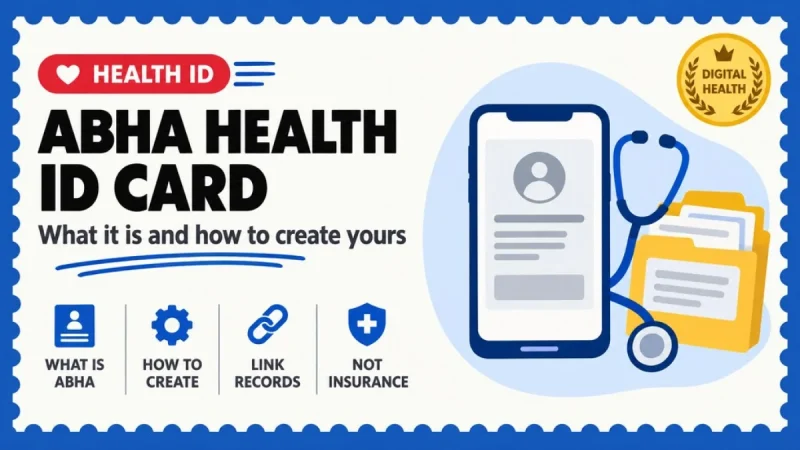
ABHA is a 14-digit health record identifier, not an insurance card. Here is how to create it with Aadhaar or a driving licence, how consent works, and the one confusion that sends lakhs of people to the wrong portal.
Quick snapshot
- ABHA = Ayushman Bharat Health Account. It is a 14-digit number that links your health records across hospitals. It is created free of cost.
- ABHA is not insurance. Having an ABHA does not enrol you in AB PM-JAY and does not give you the ₹5 lakh cover. Those are separate schemes with separate eligibility.
- You can self-register using Aadhaar or a driving licence on abha.abdm.gov.in or the ABHA mobile app.
- The ABHA number (14 digits) and the ABHA address (name@abdm) are two different things — the address is the easy-to-remember username.
- Consent is granular: you can share one report rather than your whole history, as per the Ministry of Health's official explainer.
- ABDM does not store your medical records centrally — records stay with the hospital that created them, under a federated architecture.
- ABDM crossed 90 crore ABHAs in 2026, up from 14.7 crore in 2021. Women make up 49.75% of all ABHA holders.
ABHA (Ayushman Bharat Health Account) is a unique 14-digit number used to link all the health records of a person under the Ayushman Bharat Digital Mission. It is a health record identifier. It is not a health insurance card, and it is not the Ayushman card issued under AB PM-JAY. The Ministry of Health's own explainer states plainly that getting an ABHA number does not mean enrolment in AB PM-JAY, and that ABHA "does not mean the eligibility of a person for the particular scheme including AB-PMJAY".
You create it free of cost at abha.abdm.gov.in or on the ABHA mobile app, using either your Aadhaar number with the mobile linked to Aadhaar, or your driving licence along with name, date of birth and gender. If what you actually want is the ₹5 lakh treatment card, that is a different portal entirely.
1. ABHA vs Ayushman card: settle this first
This is the single biggest source of confusion. Both have "Ayushman Bharat" in the name and they do completely different jobs. Ayushman Bharat Digital Mission (ABDM) is the digital plumbing for health records, and your identifier inside it is the ABHA. Ayushman Bharat Pradhan Mantri Jan Arogya Yojana (AB PM-JAY) is a health assurance scheme that pays for hospitalisation, and your identifier there is the Ayushman card.
| Point of comparison | ABHA (under ABDM) | Ayushman card (under AB PM-JAY) |
|---|---|---|
| What it does | Links and lets you share your health records digitally | Entitles an eligible beneficiary to cashless hospital treatment |
| Does it pay hospital bills? | No. It carries no money and no cover | Yes — cover of ₹5 lakh per family per year |
| Who can get it | Any individual in India can enrol | Only those who meet the scheme's eligibility criteria |
| Identifier | 14-digit ABHA number + ABHA address (name@abdm) | Ayushman card / PM-JAY beneficiary ID |
| Where you get it | abha.abdm.gov.in or the ABHA mobile app | pmjay.gov.in and the NHA beneficiary system / Ayushman app |
| Cost | Free | Free for eligible beneficiaries |
| Run by | National Health Authority (ABDM) | National Health Authority (PM-JAY) |
Senior citizens add one more layer. In October 2024 the Union Cabinet approved health coverage under AB PM-JAY for all senior citizens aged 70 years and above irrespective of income, through a distinct Ayushman Vay Vandana card. Again: that is a PM-JAY card, not an ABHA. Creating an ABHA for your 72-year-old father does nothing for his treatment entitlement.
If you came here looking for the ₹5 lakh card
You are on the wrong track with ABHA. Check eligibility and download the Ayushman card through the official PM-JAY route — the National Health Authority states that pmjay.gov.in is the only official website of AB PM-JAY. Treat every other site offering to "make your Ayushman card for a fee" as a scam. ABHA creation is also free, so nobody should charge you for either.
2. ABHA number vs ABHA address: two identifiers, one account
People assume these are the same thing. They are not, and knowing the difference saves you confusion at a hospital counter.
| Feature | ABHA number | ABHA address |
|---|---|---|
| Format | Randomly generated 14-digit number | Username you choose, like name@abdm |
| Purpose | Uniquely identifies and authenticates you across the digital health ecosystem | Easy-to-remember handle used to access and share records; used to sign up on the ABHA app |
| How it is created | Via Aadhaar or driving licence, in self-registration or assisted mode | Through a Personal Health Record (PHR) app such as the ABHA app, using your ABHA number or self-declared details |
| Can it change? | Permanent identifier | You can link and unlink an ABHA address with your ABHA number from the app |
| Analogy | Like a bank account number | Like a UPI ID |
In practice, you quote the 14-digit ABHA number for identification, and you give out the ABHA address when records need to be pushed to you. The PIB explainer compares the address to a virtual payment address or an email ID, which is exactly the right mental model.
3. How to create your ABHA number, step by step
An ABHA number can be generated by self-registration or through assisted mode at a participating health facility. Self-registration is done on the website abha.abdm.gov.in by clicking "Create your ABHA Number", or through the ABHA app.
Decide your route: Aadhaar or driving licence
In self-registration mode, ABHA can be generated two ways — via Aadhaar or via driving licence. Aadhaar is faster because verification is instant over OTP.
Aadhaar route: check your mobile is linked to Aadhaar first
You need your Aadhaar number and the mobile number linked to that Aadhaar. If the linked number is old or dead, the OTP will never arrive. Fix the Aadhaar mobile at an enrolment centre before you start, not during.
Driving licence route: keep name, DOB and gender ready
For the DL-based route the required details are the driving licence, name, date of birth and gender. This is the option for people who do not want to use Aadhaar for this purpose.
Accept the consent text and verify the OTP
Read the consent message rather than clicking past it. You are authorising demographic verification. Enter the OTP and verify.
Create your ABHA address
Once the 14-digit number exists, create an ABHA address in the form name@abdm through the ABHA app. Pick something you will actually remember and can dictate over a phone.
Download the ABHA app and log in
Login options include the 14-digit ABHA number, the ABHA address with password, your mobile number or your email address. The app is the place to view your card, edit your profile and manage linked facilities.
CGHS beneficiaries have a shortcut: log in on cghs.nic.in, go to the Update tab and click Create/Link ABHA ID — either enter an existing 14-digit ABHA or choose "I don't have an ABHA number" and verify over Aadhaar OTP. The mobile number must be linked to the CGHS card, and Aadhaar must be linked to that mobile.
4. Downloading your ABHA card
The "ABHA card" is a printable representation of your ABHA number and basic demographic details. The number is what matters, not the card. You retrieve it in two places:
- On the web: log in at abha.abdm.gov.in with your ABHA number, ABHA address or mobile number, verify the OTP, and download the card from your profile.
- In the ABHA app: after login, the card is available from your profile, along with the edit profile function and the ability to link and unlink your ABHA number with an ABHA address.
5. Linking your existing health records
Creating an ABHA does not automatically pull in your past medical history. Records get attached in two ways.
At the hospital, at the time of registration
When you visit an ABDM-compliant health facility, you share your ABHA address at registration. The facility seeks your consent and links the digital health records it creates to that address. You then see them in your PHR app. Records created at facilities that are not ABDM-compliant will not appear — that is a limit of the network, not a fault in your account.
From the app, by fetching records yourself
Log in to the ABHA app using your ABHA address, ABHA number or mobile number. Open the Linked Facility tab, tap the + button, search for the health facility by name, tap Fetch Records and enter the OTP sent to your registered mobile. The app also allows self-uploading of physical health records into ABDM-compliant health lockers, which is how you get a 2015 paper discharge summary into the system.
Shareable record types include diagnostic reports, prescriptions and vaccination certificates, and all of it moves only after your consent.
6. Consent, privacy and who can actually see your records
This section matters more than the sign-up steps, because the fear is what stops people from creating an ABHA at all. The Ministry of Health addressed each worry directly in its official explainer.
What the government has stated
- Consent is granular. It "can be provided separately for each of the health records as per the wish of the patient" — linking everything does not mean sharing everything.
- ABDM does not store medical records. They are created and stored by the healthcare provider, as now.
- No surveillance. The architecture is federated; the government states it will not have access to your health records.
- Nothing moves without you. Only you can share your records with another doctor or hospital, after giving consent.
What is stored centrally
- Only registry data — the Health ID registry, the Healthcare Professional Registry and the Healthcare Facility Registry.
- These are held centrally because they provide identification and a single source of truth across systems.
- Anonymised, aggregated use for policy is to be defined only after stakeholder consultation; until then, health records are not used by the government.
- Private hospitals decide for themselves whether to adopt ABHA, so coverage is uneven.
One sensible caveat from the same document: the Ministry recommends that you do consent to share all records with your treating doctor, so that clinical decisions are made on the full picture. Granular consent exists for cases where you genuinely need to withhold something, not as a default habit.
7. Correcting details, deactivating or deleting your ABHA
Three different situations, three different outcomes. Do not confuse them.
| What you want | What to do | What happens |
|---|---|---|
| Fix name, gender, DOB or address | Use edit profile in the ABHA app or on the portal after login | Demographic details are corrected. Where details came from Aadhaar, correct Aadhaar first, then refresh |
| Change the linked mobile number | Update from your profile after OTP verification | OTPs and record-fetch notifications move to the new number |
| Take a break from ABDM | Deactivate the ABHA number | You lose access to ABDM applications for the deactivation period and cannot share the ABHA number at a facility or share records over the network. You can reactivate later |
| Exit permanently | Delete the ABHA number | The ABHA number and all your demographic details are permanently deleted. You can never retrieve information tagged to it or access ABDM applications with that number again |
Both deactivation and deletion exist because ABDM supports opting out of the ecosystem. Deletion is irreversible, so treat deactivation as the default if you are merely unsure.
Three mistakes that create duplicate ABHAs
- Creating a new ABHA at every hospital. If a counter offers to "make your health ID", say you already have one and give the 14-digit number. Duplicates fragment your record trail.
- Using a family member's mobile number. Your OTPs, consent requests and record notifications then land on someone else's phone.
- Assuming the app is the record store. It is a viewer and a locker. The authoritative copy still sits with the hospital that created it, so do not throw away original reports yet.
Where ABDM has actually reached
Scale is useful context when you are deciding whether this is worth your time. ABDM was rolled out across India on 27 September 2021. Cumulative ABHA creation went from 14.7 crore in 2021 to 30.4 crore in 2022, 50.6 crore in 2023, 72.2 crore in 2024 and 84.5 crore in 2025, before crossing 90 crore in 2026. Uttar Pradesh leads with over 15.3 crore ABHAs, followed by Rajasthan and Maharashtra at 7.1 crore each, Bihar at 6.3 crore and West Bengal at 5.9 crore. Andhra Pradesh has recorded 98.5% ABHA saturation against population, with Odisha at 91.9% and Chandigarh at 90.8%.
Frequently asked questions
Is ABHA the same as the Ayushman card?
No. ABHA is a 14-digit number that links your health records under the Ayushman Bharat Digital Mission. The Ayushman card is issued under AB PM-JAY and entitles an eligible beneficiary to cashless treatment of up to Rs 5 lakh per family per year. The Ministry of Health's explainer states that getting an ABHA number does not mean enrolment in AB PM-JAY, and that ABHA does not determine eligibility for that scheme.
Does ABHA give me free treatment or any insurance cover?
No. ABHA carries no money and no insurance cover. It is only an identifier for linking and sharing your health records. Treatment entitlement comes from a scheme such as AB PM-JAY, CGHS, a state scheme or a private health insurance policy, each with its own eligibility.
What documents do I need to create an ABHA number?
In self-registration mode, ABHA can be generated via Aadhaar or via driving licence. For the Aadhaar route you need your Aadhaar number and the mobile number linked to that Aadhaar. For the driving licence route you need the driving licence along with name, date of birth and gender. Creation is free of cost.
What is the difference between the ABHA number and the ABHA address?
The ABHA number is a randomly generated 14-digit identifier used to authenticate you across the digital health ecosystem. The ABHA address is an easy-to-remember username you choose, in the form name@abdm, used to access and share your health records and to sign up on the ABHA app. One account, two identifiers, and you can link or unlink the address from the number in the app.
Can doctors see my entire medical history once I link it to ABHA?
Only what you consent to. The official position is that consent is granular and can be provided separately for each health record as per the patient's wish, so linking all records does not mean sharing all of them. The Ministry does recommend sharing everything with your treating doctor so clinical decisions are better informed, but that is advice, not a default.
Where are my health records actually stored?
With the healthcare providers who created them. ABDM does not store medical records; it runs a federated architecture that links data repositories and facilitates secure exchange after your consent. Only registry data such as the Health ID registry, Healthcare Professional Registry and Healthcare Facility Registry is held centrally, because that is needed for identification and interoperability.
How do I link my old hospital reports to ABHA?
Log in to the ABHA app, open the Linked Facility tab, tap the plus button, search for the health facility by name, tap Fetch Records and enter the OTP sent to your registered mobile. For paper records, the app allows self-uploading of physical health records into ABDM-compliant health lockers. Records from facilities that are not ABDM-compliant cannot be fetched.
Can I delete my ABHA account, and is it reversible?
Yes, you can opt out of the ABDM ecosystem by either temporarily deactivating or permanently deleting your ABHA number. On deactivation you lose access to ABDM applications and cannot share your ABHA number or records for that period, but you can reactivate. On deletion the ABHA number and all demographic details are permanently removed, nothing tagged to it can be retrieved, and that number can never be used again. Deletion is not reversible.
Sources: PIB / Ministry of Health & Family Welfare — Explainer on Ayushman Bharat Health Accounts (ABHA), including the myth-versus-reality section on AB PM-JAY, consent and data storage; ABDM — official ABHA FAQs (creation via Aadhaar and driving licence, ABHA address, deactivation and deletion); PIB / NHA — revamped ABHA mobile application, edit profile, link and unlink ABHA number and address; PIB — ABDM crosses 90 crore ABHA accounts, state-wise and saturation figures (30 May 2026); PIB — Cabinet approval of AB PM-JAY coverage for all senior citizens aged 70 and above; abha.abdm.gov.in — official ABHA portal (link published by the Ministry of Health); National Health Authority.
Related guides on BeInCareer
- Ayushman Bharat card: how to apply online and check eligibility
- APAAR ID explained: One Nation One Student ID and the Academic Bank of Credits
- e-Challan: how to check and pay pending traffic challans online
- Aadhaar update online: name, address, mobile and DOB
- DigiLocker guide: fetch, store and share your documents
- Best health insurance plans in India: how to compare
- Health insurance with no waiting period: what to check
- PAN-Aadhaar linking: how to do it online
- LPG Aadhaar e-KYC and biometric verification guide
- Term and health insurance for freshers: a starter plan