

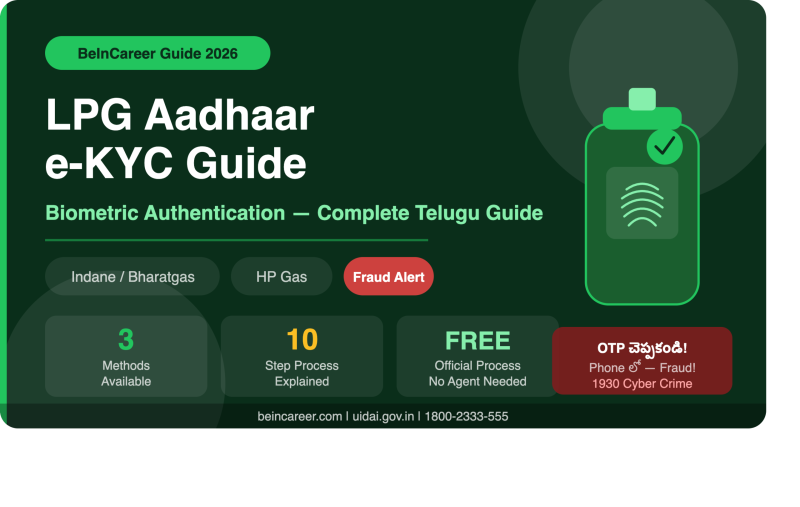
LPG Aadhaar e-KYC & Biometric Authentication — Complete Guide Telugu 2026 Indane / Bharatgas / HP Gas — Step-by-Step Process, Fraud Warnings, Fingerprint Fail అయితే ఏమి చేయాలి
LPG e-KYC pending అని message వచ్చిందా? Connection block అవుతుందని భయపడుతున్నారా? Genuine process ఏమిటి, fraud ఎలా గుర్తించాలి — అన్నీ clearly చెప్తాం. OTP ఎవరికీ చెప్పకండి!
❓ LPG Aadhaar e-KYC అంటే ఏమిటి?
e-KYC (Electronic Know Your Customer) అంటే మీ LPG connection మీకే చెందిందని electronically verify చేసుకోవడం. Physical documents submit చేయకుండా Aadhaar ద్వారా identity prove చేస్తారు. Indane, Bharatgas, లేదా HP Gas connection holders కి e-KYC పూర్తి చేయమని request వస్తుంది — genuine customer అని confirm చేయడానికి మరియు LPG subsidy/services access కోసం.
- 🔢 Aadhaar OTP
- 👆 Fingerprint (Biometric)
- 👁️ Iris Scan
- 😊 Face Authentication
- 🟢 Indane (Indian Oil)
- 🔵 Bharatgas (BPCL)
- 🟡 HP Gas (HPCL)
Aadhaar linkage ≠ e-KYC completion. Link అయినా e-KYC pending గా ఉండవచ్చు. మీ LPG company తో check చేయండి.
🔔 Government scheme alerts: BeInCareer WhatsApp Channel Join చేయండి →
📋 e-KYC మొదలు పెట్టే ముందు — ఇవి Ready చేసుకోండి
- Aadhaar card / Aadhaar number
- LPG consumer number
- Registered mobile number
- Mobile phone (OTP కోసం)
- LPG connection details
- Bank account details (subsidy కోసం)
- LPG passbook / consumer booklet
- Aadhaar copy (distributor దగ్గర)
- Registered address details
- Unknown person కి Aadhaar photo పంపకండి
- WhatsApp లో Aadhaar share చేయకండి
- Phone లో OTP చెప్పకండి
- Random APK download చేయకండి
🏪 Method 1 — LPG Distributor దగ్గర Direct గా చేయడం (అందరికీ Easy)
ఇది అందరికీ safest మరియు simplest method. Online లో confuse అయ్యే బదులు, directly మీ official LPG distributor/agency దగ్గరికి వెళ్ళండి.
Distributor office కి వెళ్ళండి — మీ official LPG distributor/agency. మీ LPG passbook లో distributor address ఉంటుంది.
ఇలా అడగండి: "నా LPG e-KYC / Aadhaar authentication status check చేయండి. Pending ఉంటే complete చేయడానికి వచ్చాను."
వీటిని తీసుకెళ్ళండి: Aadhaar + LPG consumer number + Registered mobile phone.
Biometric authentication: Distributor దగ్గర approved biometric device ఉంటుంది. వేలు scanner మీద పెట్టమంటారు. ఏ వేలైనా వాడవచ్చు — 10 వేళ్ళు అన్నీ valid.
Confirmation తీసుకోండి: e-KYC complete అయిన తర్వాత acknowledgement slip లేదా receipt తీసుకోండి.
📱 Method 2 — Online / App ద్వారా e-KYC Status Check చేయడం
Distributor దగ్గరికి వెళ్ళే ముందు — online లో మీ e-KYC status already completed అయిందో check చేసుకోవడం smart move. అనవసరంగా visit avoid చేయవచ్చు.
HPCL chatbot "Happy" ద్వారా: Aadhaar-linking status, e-KYC status, refill history, subsidy details అన్నీ check చేయవచ్చు.
- hindustanpetroleum.com visit చేయండి
- Toll-free: 1800-2333-555
- LPG Emergency: 1906
indianoil.in official website లేదా Indane app ద్వారా consumer details మరియు KYC status check చేయవచ్చు.
- indianoil.in visit చేయండి
- Indane app (official) download
- Customer care: 1800-2333-555
bharatgas.com official website లేదా My BPCL app ద్వారా e-KYC status మరియు Aadhaar linking check చేయవచ్చు.
- bharatgas.com visit చేయండి
- My BPCL official app
- Customer care: 1800-22-4344
😊 Aadhaar Face Authentication — Fingerprint Alternative
Fingerprint పని చేయకపోవడం సమస్య అయితే — UIDAI Face Authentication option available ఉంది. Smartphone camera తో మీ face capture చేసి, మీ Aadhaar లో registered face తో compare చేస్తారు. ఇది consent-based — మీరు agree చేస్తేనే జరుగుతుంది.
- Camera నేరుగా చూడండి
- మొత్తం face visible గా ఉండాలి
- Good lighting లో చేయండి
- Neutral expression పెట్టుకోండి
- Eyes open గా ఉండాలి
- Sudden movement చేయకండి
- Hat లేదా cap పెట్టుకోకండి
- Sunglasses వేసుకోకండి
- Face కప్పే items వేయకండి
- Dim light లో చేయకండి
- Blur వస్తే retry చేయండి
- LPG company official app లో check చేయండి
- UIDAI official source మాత్రమే
- Random WhatsApp apps వద్దు
- Distributor దగ్గర face auth అడగండి
👆 Fingerprint పని చేయకపోతే — ఏమి చేయాలి?
Fingerprint authentication fail అయితే panic అవ్వకండి! ఇది చాలా common సమస్య — పెద్దవాళ్ళకి, manual work చేసే వాళ్ళకి fingerprint scanner లో easily detect కాకపోవచ్చు. UIDAI దీన్ని recognize చేస్తుంది — alternatives ఉన్నాయి.
- వేలు clean గా తుడవండి
- Scanner clean చేయండి
- మరొక వేలు try చేయండి
- 10 వేళ్ళు అన్నీ valid — ఏ వేలైనా వాడవచ్చు
- Pressure correctly apply చేయండి
- 😊 Face Authentication try చేయండి
- 👁️ Iris Scan try చేయండి
- 🔢 Aadhaar OTP method వాడండి
- Service లో available method check చేయండి
- Repeatedly fail అవుతుంటే — Aadhaar update center కి వెళ్ళండి
- Biometric update request చేయవచ్చు
- uidai.gov.in లో nearest center find చేయండి
- Connection cancel కాదు — time తీసుకోండి
🔢 Aadhaar OTP Authentication — ఎలా పని చేస్తుంది?
LPG service Aadhaar OTP method support చేసే చోట — biometric కి బదులు OTP ద్వారా authentication చేయవచ్చు. OTP మీ Aadhaar registered mobile number కి వస్తుంది. మీరే official website/app లో enter చేస్తారు.
- Aadhaar number enter చేయండి
- OTP send request చేయండి
- Aadhaar mobile కి OTP వస్తుంది
- Official interface లో OTP enter చేయండి
- Authentication complete ✅
- Phone లో వచ్చిన OTP caller కి చెప్పకండి
- "OTP చెప్పండి, మేము enter చేస్తాం" అంటే FRAUD
- మీరే official website/app లో enter చేయండి
- OTP share చేస్తే account compromised అవుతుంది
🚨 LPG KYC Fraud — ఇలాంటి calls వస్తే జాగ్రత్తగా ఉండండి
"Sir, మీ LPG KYC pending ఉంది. ఈ రోజు OTP చెప్పకపోతే connection block అవుతుంది."
"Gas company నుండి మాట్లాడుతున్నాను. Aadhaar number మరియు OTP చెప్పండి."
"ఇప్పుడే WhatsApp link click చేయండి, KYC complete అవుతుంది."
- "ఇప్పుడే చేయకపోతే block" — pressure tactics
- Phone లో OTP అడగడం
- WhatsApp link / APK send చేయడం
- Aadhaar photo WhatsApp కి పంపమనడం
- Bank details అడగడం
- Unknown number నుండి call
- మీరు official website check చేయవచ్చు
- మీ distributor directly confirm చేస్తాడు
- Official number నుండి communication వస్తుంది
- OTP మీరే official site లో enter చేస్తారు
- Receipt / acknowledgement ఇస్తారు
- Urgent pressure ఎప్పుడూ ఉండదు
- 🟡 HPCL: 1800-2333-555
- 🚨 LPG Emergency: 1906
- 🟢 Indian Oil: 1800-2333-555
- 🔵 Bharatgas: 1800-22-4344
- 🔐 Cyber Crime: 1930
🔍 Aadhaar Authentication History — Check చేయండి
మీ Aadhaar ద్వారా ఎవరైనా unauthorized గా authentication attempt చేశారా అని check చేయవచ్చు. UIDAI Aadhaar Authentication History facility provide చేస్తుంది.
- uidai.gov.in visit చేయండి
- "Aadhaar Services" section తెరవండి
- "Authentication History" click చేయండి
- Aadhaar number/VID enter చేయండి
- Security verification పూర్తి చేయండి
- History check చేయండి
- Registered mobile number అవసరం
- mAadhaar app లో కూడా check చేయవచ్చు
- Authentication events email notifications వస్తాయి (registered email ఉంటే)
- Suspicious activity కనిపిస్తే UIDAI కి report చేయండి
✅ LPG e-KYC Complete చేయడానికి — 10 Steps Guide
మీ LPG company identify చేయండి — Indane / Bharatgas / HP Gas ఏది?
Official website/app లో e-KYC status check చేయండి. Already completed అయి ఉంటే మళ్ళీ చేయక్కర్లేదు.
e-KYC completed అని show అవుతుంటే — ఎవరైనా "pending ఉంది" అని చెప్పినా verify చేసుకోండి.
Pending అని show అవుతుంటే — official instructions follow చేయండి. Online option available అయితే online చేయండి.
Online available కాకపోతే — మీ official LPG distributor దగ్గరికి వెళ్ళండి.
తీసుకెళ్ళాల్సినవి: Aadhaar + LPG consumer number + Registered mobile phone.
Biometric authentication required అయితే authorized device లో complete చేయండి. Fingerprint fail అయితే face/iris/OTP alternatives అడగండి.
Confirmation / acknowledgement తీసుకోండి — distributor ఏదైనా submit చేస్తే receipt తీసుకోండి.
Afterward — మళ్ళీ మీ LPG account/e-KYC status check చేయండి. Updated అయిందో లేదో confirm చేసుకోండి.
Concerned ఉంటే — UIDAI Authentication History లో check చేయండి. Unauthorized authentication జరిగిందో లేదో verify చేయండి.
💰 LPG Subsidy మరియు e-KYC — తేడా ఏమిటి?
e-KYC complete చేయడం మాత్రమే subsidy guarantee కాదు. Subsidy separate గా check చేయాలి.
⚠️ Note: ఈ guide general information కోసం. Exact process మీ LPG company, distributor, మరియు current government instructions బట్టి different గా ఉండవచ్చు. Official LPG company websites మరియు UIDAI (uidai.gov.in) channels verify చేసుకోండి. © BeInCareer 2026
❓ FAQ — LPG Aadhaar e-KYC
Connection block అవుతుందని caller చెప్పాడు — panic అవ్వాలా? +
Panic అవ్వకండి. Genuine LPG requirement ఉంటే మీ LPG company official app/website లో అది show అవుతుంది. First step: official website లో e-KYC status check చేయండి. "ఇప్పుడే చేయకపోతే block" అని pressure చేస్తే — అది fraud red flag. మీ distributor కి independently call చేసి verify చేసుకోండి.
Aadhaar already linked — మళ్ళీ e-KYC చేయాలా? +
Aadhaar linked ఉండటం మరియు e-KYC completed ఉండటం different. Aadhaar link అయినా e-KYC pending ఉండవచ్చు. మీ LPG company app/website లో specifically "e-KYC status" check చేయండి. "Completed" అని show అయితే మళ్ళీ చేయక్కర్లేదు. HP Gas అయితే HPCL chatbot "Happy" ద్వారా Aadhaar-linking status మరియు e-KYC status రెండూ check చేయవచ్చు.
పెద్దవాళ్ళకి fingerprint scanner పని చేయడం లేదు — ఏమి చేయాలి? +
ఇది చాలా common. First: వేలు clean చేసి, వేరే వేలు try చేయండి — 10 వేళ్ళు అన్నీ valid. అయినా work అవ్వకపోతే: Face authentication లేదా Iris scan అడగండి. Aadhaar OTP method available అయితే అది వాడవచ్చు. Repeatedly fail అవుతుంటే Aadhaar update center లో biometric update request చేయవచ్చు. Connection cancel కాదు — distributor తో మాట్లాడండి.
