
Your status check needs six fields and no password. Here are the exact fields, the three reports that prove the money left the treasury, and the bank rules that decide whether your direct benefit transfer lands. Checked on the live portal on 21 October 2026.
cgg.gov.in
10:30 AM–5 PM
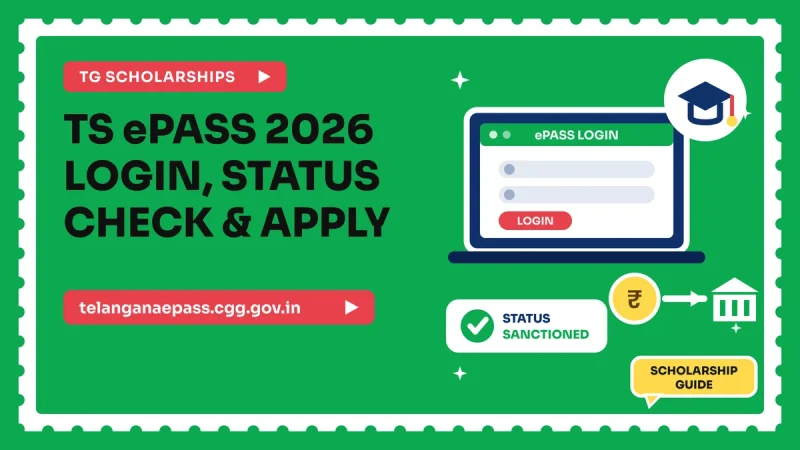
How do you check TS ePASS status? Open the Know Your Application page on tgepass.cgg.gov.in and fill six mandatory fields: academic year, application number, SSC pass type, SSC pass year, SSC exam number and date of birth. Press Get Status. No username or password is needed. For the payment itself use Reports: Bank Remittance Details shows whether the amount was remitted and Scholarship Trans ID Details gives the transaction ID.
- tgepass.cgg.gov.in is where all the working student service forms now live: status check, bank details change, OTR entry and pre-registration.
- telanganaepass.cgg.gov.in is the information and legacy portal. It currently returns an HTTP 403 error to many browsers, so a blank page there is not your mistake. telanganaepassng.cgg.gov.in is a newer build.
- Ignore the House Site Patta entry. That service is for MRO, RDO and Collector logins, not students.
How to check your TS ePASS application status
A status check is a public lookup. There is no username, no password and no OTP. The portal matches the six identifiers you type against your application record and prints the stage it has reached.
Open tgepass.cgg.gov.in/HomeServicePostmatricKnowApplication, or reach it from the Post Matric Scholarship Services menu. The form is strict: if one of the six fields is blank or mismatched, nothing loads.
The six fields the status form asks for
Two things that waste students' time
The session expires in 10 minutes. The portal runs a 600 second timer, so collect all six values before you open the page.
A failed lookup is almost never a rejected application. It is usually the wrong academic year, a Regular versus Supplementary mix-up, or a date of birth taken from Aadhaar instead of SSC. Change one field at a time and retry.
What each TS ePASS status means and what to do next
The welfare department does not publish a fixed glossary of status labels. Wording changes between years and between welfare departments, so treat it as a stage indicator rather than a code. What matters is which of four situations you are in.
Situation 1: no record found
The screen does not recognise your details. This is a lookup failure, not a decision. Confirm the academic year, switch the SSC pass type, and check the date of birth against your SSC memo rather than your Aadhaar. If all six are correct and nothing appears, the application may never have reached final submission.
Situation 2: the application is traceable but still with the college
Your college must verify and forward the application inside the portal before the department can scrutinise it. This is where most applications sit for weeks. Go to the college scholarship section with your application number and ask for it to be forwarded, in writing.
Situation 3: sanctioned, but no money yet
Sanction and payment are separate events. Sanction means approval. Remittance means the money was actually pushed to your bank. Open Bank Remittance Details, because that report, not the status screen, tells you whether the money moved.
Situation 4: rejected with a remark
Match the remark against the rejection reasons later in this guide. Most rejections are documentary and repairable: a name or date of birth that does not match SSC records, biometric authentication not done, or a bank account that fails the DBT rules. Fix the defect, then approach your college scholarship section and district welfare office.
How to confirm the scholarship money reached your bank
This part decides whether you are chasing the right office. ePASS pays by direct benefit transfer of funds to the beneficiary's bank account, as the Centre for Good Governance states. Because the money goes to you, your college cannot tell you where it is. The portal can.
The Reports menu is the official way to confirm that money actually moved. It carries five options, and three of them matter to a student chasing a payment.
Bank Remittance Details
Open this first. It shows whether the amount was remitted to the bank. If remittance is shown and your passbook is empty, the problem is at the bank end. If no remittance is shown, the payment has not been released and bank visits will not help.
Scholarship Trans ID Details
This shows the transaction ID for a released payment, the most useful thing to carry into a bank branch. "This transaction was released against my account and was not credited" gives the branch something to trace.
Know Your Application No.
Use this when you have lost your application number, the one field you cannot guess. Recovering it here makes every other report and the status check usable again.
| Report | What it tells you | Use it when |
|---|---|---|
| Know Your Application No. | Recovers your application number | Nothing else will open |
| Bank Remittance Details | Whether the amount was remitted to the bank | Sanctioned, but the account shows nothing |
| Scholarship Trans ID Details | The transaction ID of a released payment | You need proof for your bank branch |
| Grievances Redressal | Files a dated complaint | Remittance failed or nothing has moved |
| Feedback | General portal feedback channel | Form and portal problems |
Bank account rules that decide whether your DBT lands
Since the money is transferred straight to the student, your bank account is the weakest link. These rules come from the portal's own notices and its bank details change form.
Which account qualifies
Students are required to open an account in a nationalized bank. The portal adds one relaxation, word for word: "India Postal payment bank account number is accepted along with Nationalized bank in scholarships application." The account should be in your own name, not a parent's.
Aadhaar seeding through NPCI
The portal carries a notice headed "NPCI Request for Aadhaar Seeding of SC Application", linking to npci.org.in. Aadhaar seeding through NPCI is required for SC applications. It is not the same as giving your Aadhaar number to the bank: it is a mapping that tells the payment system which single account your Aadhaar points to. Ask your branch for the NPCI seeding consent form.
The duplicate account block
The account number you submit is checked against existing registrations to prevent duplicates within the same academic year. Two students cannot use the same account in one year, so siblings who are both applying each need their own.
The upload limit that fails silently
The bank document upload accepts JPG or JPEG only, file size between 30 KB and 100 KB. A phone passbook photo runs to several megabytes and a scanned PDF is the wrong format. Convert to JPG and compress into the range. Under 30 KB is also rejected.
How to file a bank change request
If your details were wrong, or you have shifted banks, use tgepass.cgg.gov.in/homeServiceStudentBankDetailsChange. It asks for academic year (2026-27 down to 2014-15), application id, SSC pass type, SSC hall ticket number and SSC pass year, with Get Data and Reset buttons. The IFSC dropdown loads after you select your bank, so pick the branch from that list.
Two warnings. The form times out after 10 minutes with only a 15 second countdown, so keep your compressed JPG and five identifiers ready. And fix bank details before remittance is attempted, because a failed transfer adds a reversal cycle.
| Bank rule | Exact requirement |
|---|---|
| Bank type | Nationalized bank, or India Post Payments Bank |
| Account holder | The student's own name |
| Aadhaar | NPCI seeded; required for SC applications |
| Duplicates | Not usable by two students in the same year |
| Bank proof upload | JPG or JPEG only, 30 KB to 100 KB |
| IFSC | Dropdown, loads after you select the bank |
| Change form fields | Year, application id, SSC pass type, hall ticket no, pass year |
| Session limit | 10 minutes, 15 second countdown warning |
RTF and MTF explained, and why there is no single amount
ePASS pays two separate benefits. Most sanctioned students receive both.
RTF, the Reimbursement of Tuition Fee
RTF covers your course tuition fee as per the government-notified fee structure for that course and college. It is not a scholarship rate. Two students in the same year at different colleges can get different RTF amounts.
MTF, the Maintenance Fee
MTF, also called Vasathi Deevena, is a monthly maintenance allowance. This is where every content farm on the internet gets it wrong, because MTF is not a single number. It varies on three axes at the same time.
| Axis | Options that change your MTF rate |
|---|---|
| 1. Welfare category | SC, ST, BC, EBC, Minority, Disabled. SC and ST rates differ from each other, so a combined "SC/ST" figure is already wrong. |
| 2. Course group | Group I Engineering, Medicine, MBA, MCA, CPL · Group II PG, M.Phil, PhD, CA, Polytechnic, GNM · Group III Degree · Group IV Intermediate, ITI, Vocational, MPHW |
| 3. Hostel status | Attached hostel · Students Managed Hostel (SMH) · Day scholar |
Multiply the three axes and you get dozens of distinct rates. A BC day scholar doing a degree, an SC student in an attached hostel doing engineering and an ST student in a students managed hostel doing Intermediate are on three different rates. One "degree scholarship amount" figure cannot be right for everyone.
Where to get the figure that applies to you
Rates are fixed and revised by Government Orders. The authoritative amount for you is on your own sanction order. The official references are the portal's Fee Structure page and the department G.O. To confirm earlier, call 040-23120311 between 10:30 A.M and 5 P.M on working days.
Who is eligible for the ePASS post-matric scholarship
The eligible welfare categories are SC, ST, BC, EBC, Minority and Disabled students, under the Social Welfare Department, Government of Telangana. The portal's Who are Eligible?, Courses, Colleges Eligible, Fee Structure and Time Line pages are the reference for course and college eligibility.
The income certificate rule
There is an income ceiling and it is fixed by the welfare department. We are deliberately not printing a rupee figure, because a wrong one here would cost somebody an application. What matters operationally: the income on your certificate must fall within the limit for your category. Confirm the ceiling with your college scholarship section or district welfare office before you pay for a certificate.
Certificates to keep valid
Both certificates must be live at the time of scrutiny, not just at application. One that expires between application and sanction is a common failure. Our walkthroughs: caste certificate online apply and income certificate online apply.
The same portal also runs Pre Matric, Corporate, Admissions, Overseas Scholarship Services, Skill Upgradation for GRE, GMAT, TOEFL and IELTS, plus Kalyana Lakshmi, Shaadi Mubarak and Advocates Stipend. Check that menu before concluding you are not covered. The central equivalent is our post matric scholarship guide.
OTR number: 14 digits, and where to enter it
OTR stands for One Time Registration. It is separate from your application number and your Aadhaar, and confusing the three causes failed submissions.
The two number lengths you must not mix up
The OTR number is 14 digits. Anything else returns "Please enter 14 Digits OTR ID". Aadhaar is 12 digits, and a wrong length there returns "Please enter 12 Digits UID". Count the digits before retyping, because students paste Aadhaar into the OTR box and assume the portal is broken.
The OTR entry page
The page is titled Post-Matric Scholarship OTR Number Entry, at tgepass.cgg.gov.in/homeServiceOtrEntry. It asks for scheme type, academic year, application id, SSC pass type, SSC pass year and SSC exam no: the status check set minus the date of birth.
The department publishes an official OTR User Manual as a PDF at telanganaepass.cgg.gov.in/downloads/OTR_User_Manual.pdf. If your college has given you conflicting instructions, that manual is the document to put in front of them.
If your details on file are wrong
Use the edit applicant details service at tgepass.cgg.gov.in/homeServiceEditApplicant for corrections, rather than filing a second application, which creates a duplicate.
Biometric Aadhaar authentication at a MeeSeva centre
Biometric authentication is not optional and not done online. The portal notice reads, word for word: "For Bio-Metric Aadhar Authentication Please visit your nearest MeeSeva Centre Along With Your Application Id."
What to carry and when to go
Carry your Application Id. Operators cannot pull up your record without it. Take your Aadhaar card and SSC memo too, because if the capture throws a name mismatch you will want the source documents in hand.
The portal's instruction on the fresh pre-registration page reads: "Students can enter their details, who have completed bio-metric Authentication can proceed to complete their registration." So biometric must be completed before a fresh registration can be finished. Treat it as step one. For locating a centre, see our MeeSeva complete guide for AP and Telangana.
Is there a biometric last date?
The department has not published a separate biometric deadline for 2026-27. Biometric authentication is tied to completing your registration, so the effective deadline is whatever registration deadline is eventually announced. Do it early and the question disappears.
Fresh registration for 2026-27: how it starts
Fresh pre-registration opens at tgepass.cgg.gov.in/homeServicePMSPreReg. The legacy domain also has an entry point at telanganaepass.cgg.gov.in/FreshRegistration202627.do, but that domain returns 403 errors to many browsers, so start from tgepass.
The four fields pre-registration asks for
What the portal asks for after that
Later in the same flow the portal collects your student name, father's name, gender, religion, caste and sub-caste, Aadhaar (UID) number, mobile number, university or board, college district, college mandal and college name. Write all of it down first, with your bank details and compressed JPG bank proof.
The reason to prepare is the clock. The session expires after 600 seconds, that is 10 minutes. Hunting for your college mandal mid-form is what causes abandoned applications.
At submission the portal matches your Aadhaar name against SSC data and shows a prompt reading "Aadhar Name is Matched With SSC Data..!Are you sure want to submit ?" If it does not appear, the two records disagree. Fix that at source.
Last date for 2026-27: what has actually been announced
This is where most pages mislead you. There is no officially published last date for post-matric ePASS registration for 2026-27. Not a date, not a month.
The only post-matric last date verifiable on the portal is a past one: "Post-Matric Fresh and Renewal Registrations for 2024-25 are open, and the last date for registrations is 30-06-2025." That shows how the department behaves. It says nothing binding about 2026-27.
Why other sites show you a 2026-27 date anyway
Because a date earns clicks. A confident "TS ePASS last date 2026-27" on an aggregator is a guess dressed as a fact. Acting on it is risky both ways: you relax because the fake date is far off, or panic because it is near.
What the department does publish
Deadlines for other ePASS schemes have been announced, which shows how precisely the department communicates once it has decided something.
| Scheme and year | Published last date | What it tells you |
|---|---|---|
| Post-matric fresh and renewal, 2024-25 | 30-06-2025 | The only verifiable post-matric date, already past |
| Overseas MJPOVN, 2025 Fall Session | 31-10-2025 at 6.00 PM | Dates are published to the minute once fixed |
| CMOM Overseas (Minority), 2025 | 30-06-2025, for admissions secured between 01.01.2025 and 30.06.2025 | Windows are tied to admission periods |
| Post-matric 2026-27 | Not announced | Live in the portal dropdowns, no cut-off published |
What you should actually do
Stop waiting for a deadline and remove your own bottlenecks. Get the certificates issued, complete biometric authentication, fix a compliant bank account with NPCI seeding, then apply as soon as admission is confirmed. Check the portal notice board every few weeks.
Degree students searching for a "degree scholarship last date 2026 Telangana" are in the same position as everyone else: 2026-27 is in the dropdown, no cut-off has been published, and early filing is the only protection.
Why ePASS applications get rejected
The portal publishes its own Reasons for Rejection page. The structural causes below follow from the rules verified in this guide, and almost all are preventable before you submit.
Helplines worth saving
| Issue | Contact | Timing |
|---|---|---|
| Post-matric technical issues | 040-23120311 | "Calls answered between 10:30 A.M to 5 P.M on Working Days" |
| Overseas (MJPOVN) queries | 040-23346168 | Working hours |
| BC and EBC grievances | Online grievance on the portal | "For BC and EBC Students, Register Your Grievances Online" |
- A TS ePASS post-matric status check is done on tgepass.cgg.gov.in through the Know Your Application page. It needs six mandatory fields: academic year, application number, SSC pass type, SSC pass year, SSC exam number and date of birth. The submit button is Get Status and no login or password is required. The session expires after 600 seconds.
- ePASS pays by direct benefit transfer to the beneficiary's bank account. Bank Remittance Details shows whether the amount was remitted, Scholarship Trans ID Details shows the transaction ID. The account must be in a nationalized bank or India Post Payments Bank, NPCI seeded, and not shared with another student in the same year; bank proof uploads must be JPG or JPEG between 30 KB and 100 KB. MTF has no single value because it varies by welfare category, course group and hostel status. The OTR number is 14 digits. No last date has been announced for 2026-27. Helpline 040-23120311, 10:30 A.M to 5 P.M on working days.