
FREE CERTIFICATION · GRAPHIC DESIGN
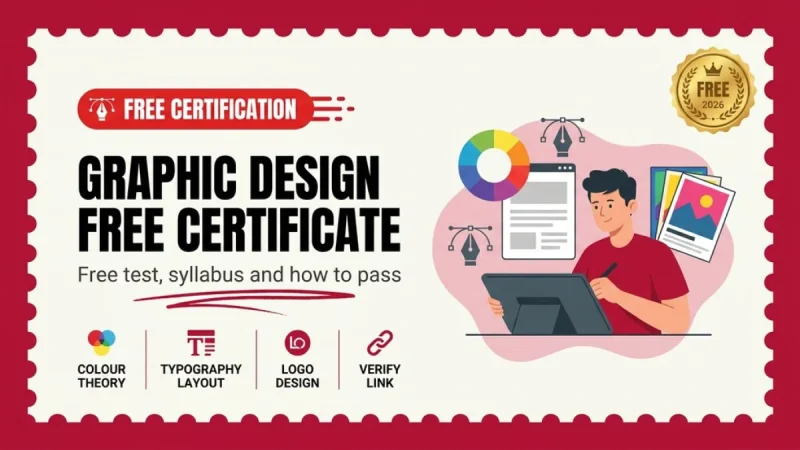
Graphic Design Certification Free Online: Free Test, Syllabus and How to Pass
Canva, Photoshop basics, colour, type and layout — what the free test asks and the theory most beginners skip.
📍 IN SHORT
BeInCareer Genie offers a free graphic design test online with a verifiable certificate: 25 questions in 15 minutes on Canva, Photoshop basics, colour theory, typography, layout, branding, social media creatives, logos, print vs digital and file formats. Pass with 30/50. Your portfolio still matters more than any certificate in design hiring; the certificate shows you know the theory behind it.ADVERTISEMENT
📝 Test Pattern at a Glance
Questions
25, generated fresh by AI for every attempt (easy, medium and hard)
Marks
50 — 2 marks per question, 4 options, one correct answer
Time
15 minutes; the test submits itself when time runs out
Pass mark
30 out of 50 (60%)
Certificate
Unique certificate number and a public verify link; one-tap add to LinkedIn
Validity
One year from the date of issue; retake the test to renew
Fee
None. You need a free Genie account; a test uses AI credits that Genie gives free when you join
Rules
Switching tabs more than 3 times ends the test; leaving a test unfinished locks the track for 3 days
📚 What You Will Be Tested On
CanvaPhotoshop basicscolour theorytypographylayout and compositionbrandingsocial media creativeslogo designprint vs digitalfile formats
Every paper mixes three levels: core concepts 45%, practical application 35% and advanced or scenario questions 20%. Tool questions are about what a feature does, not about memorising menus.
ADVERTISEMENT
🎨 The Theory That Carries Most Marks
RGB vs CMYK
RGB is for screens (light); CMYK is for print (ink). Design print work in CMYK or the colours shift when printed.
Resolution
Screens are fine at 72–96 PPI; print needs about 300 DPI at the final size.
Raster vs vector
Raster (JPG, PNG) is made of pixels and blurs when enlarged; vector (SVG, AI, EPS) is made of paths and scales cleanly — so logos are made in vector.
File formats
PNG keeps transparency; JPG is smaller for photos; PDF is the safe handover for print; SVG for logos and icons on the web.
Colour theory
Complementary colours sit opposite on the colour wheel and give contrast; analogous colours sit side by side and feel calm. Keep strong contrast between text and background.
Typography
Serif fonts have small strokes at letter ends; sans-serif fonts do not. Use one or two typefaces, and build hierarchy with size and weight. Kerning is the space between two letters; leading is the space between lines.
Layout
Alignment, proximity, repetition and contrast; leave white space; use a grid so elements line up.
Branding
A brand kit fixes the logo versions, colours with their codes and fonts, so every creative looks like the same company.
✍️ Three Practice Questions
Which colour mode should a visiting card file use for printing?
A. RGB
B. CMYK
C. HEX
D. Grayscale only
Answer: B. Printers use cyan, magenta, yellow and black inks.
Which format keeps a logo sharp at any size?
A. JPG
B. PNG
C. SVG
D. GIF
Answer: C. SVG is a vector format, so it scales without losing quality.
The space between lines of text is called…
A. Kerning
B. Tracking
C. Leading
D. Bleed
Answer: C. Leading is line spacing; kerning is the space between a pair of letters.
📅 A One-Week Preparation Plan
Day 1: colour wheel, RGB vs CMYK, contrast. Recreate one ad you like using only its three main colours.
Day 2: typography: pair one heading font with one body font; practise hierarchy on a poster.
Day 3: layout and grids: redesign a cluttered college notice so it is easy to scan.
Day 4: Canva: brand kit, templates, resizing a post for Instagram, story and LinkedIn.
Day 5: Photoshop basics: layers, masks, crop and export settings.
Day 6: a logo in vector for a made-up local shop, exported as SVG, PNG and PDF.
Day 7: take the Genie test and add your Day 1–6 work to a simple portfolio.
💼 Where This Certificate Helps
Design recruiters hire from the portfolio. A verifiable certificate helps when an HR screen asks for proof of skill, and shows you know print and file basics that self-taught designers often miss. If you want a vendor credential later, Adobe runs its own Adobe Certified Professional exams. See our graphic design career guide for roles and how freshers get hired.
💬 Frequently Asked Questions
Is there a free graphic design test online with a certificate?
Yes. BeInCareer Genie’s Graphic Design test is free with a Genie account: 25 questions, 15 minutes, pass at 30/50, certificate with a public verify link.
Do I need Photoshop to take the test?
No. The test asks about what tools and features do; you do not use any software during the test.
Is a certificate enough to get a graphic design job?
Not on its own. Design hiring is portfolio-first; use the certificate alongside 6–10 strong pieces of work.
How long is the certificate valid?
One year from the date of issue. You can retake the test to renew it.
ADVERTISEMENT
📚 Read Next
Source: Exam format, rules and topic list: the BeInCareer Genie track page beincareer.in/certification.php?t=graphic-design, read on 28 November 2026. Practice questions on this page are written by BeInCareer, not taken from the Genie test.
Note: BeInCareer Genie is BeInCareer’s own career platform. Its certificate is a free, verifiable proof of a skill test; it is not a university qualification or a vendor certification. Test rules are as published on the Genie track page on 28 November 2026 and may change.
© BeInCareer 2026 · Published 28 November 2026 | beincareer.com