
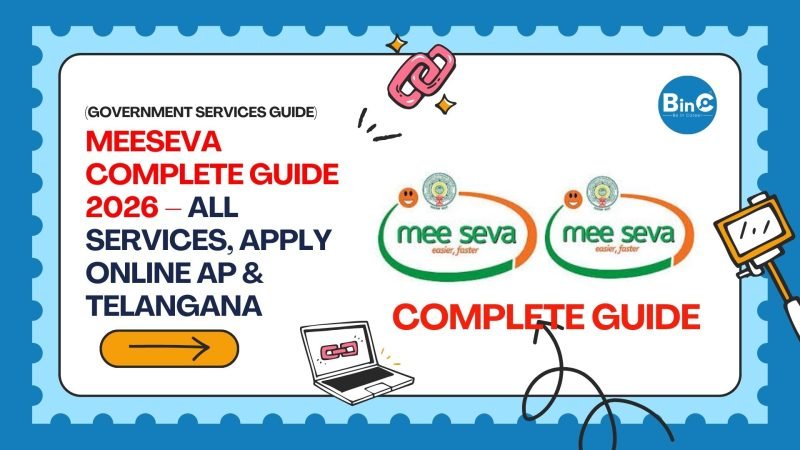
MeeSeva Complete Guide 2026 — All Services, How to Apply & Certificate Download
Andhra Pradesh & Telangana MeeSeva Portal Full Guide
Everything you need to know about MeeSeva — what services are available, how to register, apply for certificates online, check status, and download documents for AP and Telangana in 2026.
🖥️ What is MeeSeva?
MeeSeva (meaning "At Your Service" in Telugu) is the official e-governance portal of Andhra Pradesh and Telangana governments. It provides over 400 government services online — from certificates like Income, Caste, and Birth Certificates to Revenue services, Municipal services, and Registration services — all in one platform without visiting any government office.
- Apply for certificates from home
- No need to visit government offices
- 24×7 online availability
- Track application status online
- Download digitally signed certificates
- Pay fees securely online
- Single login for all services
- Aadhaar card (mandatory)
- Mobile number linked to Aadhaar
- Scanned copies of documents
- Valid email ID (for registration)
- Debit card / UPI for fee payment
- Smartphone or computer with internet
💡 Key Point: AP మరియు Telangana కి separate MeeSeva portals ఉన్నాయి. AP residents → ap.meeseva.gov.in | TS residents → ts.meeseva.telangana.gov.in
📋 MeeSeva Services List — AP & Telangana 2026
- Income Certificate
- Caste / BC Certificate
- Residence / Domicile Certificate
- EWS Certificate
- OD Certificate
- Agricultural Income Certificate
- Widow Certificate
- Legal Heir Certificate
- Birth Certificate
- Death Certificate
- Marriage Certificate
- Trade License
- Building Plan Approval
- Property Tax Payment
- Water Connection
- Door Number Certificate
- Marriage Registration
- Property Registration
- Encumbrance Certificate
- Market Value Certificate
- Document Registration Appointment
- Ration Card New Application
- Ration Card Download
- Member Addition / Deletion
- FPS Shop Details
- Fair Price Shop Transfer
- SSC / Intermediate Certificates
- Scholarship Applications
- Study Certificate
- Bonafide Certificate
- Driving Licence Services
- Vehicle Registration
- Road Tax Payment
- NOC for Vehicle Transfer
- Fitness Certificate
📝 How to Register on MeeSeva Portal
AP: ap.meeseva.gov.in | TS: ts.meeseva.telangana.gov.in. Click on New User Registration or Sign Up button on the homepage.
Enter your 12-digit Aadhaar number. An OTP will be sent to your Aadhaar-linked mobile number. Enter the OTP to verify your identity.
Fill your name, email ID, create a password, and set a security question. Your basic details are auto-filled from Aadhaar — verify and confirm them.
Submit the form. You will receive a confirmation on your mobile and email. Your MeeSeva account is now active — login and start applying for any certificate or service.
Login → Select department → Select service → Fill form → Upload documents → Pay fee → Submit → Track status → Download certificate. All in one portal!
AP MeeSeva Portal — Key Details 2026
TS MeeSeva Portal — Key Details 2026
🔍 How to Check Application Status on MeeSeva
Visit your state's MeeSeva portal and login with your registered mobile number and password or Aadhaar OTP.
Click on Track Status or My Applications in the dashboard. You can see all your pending and completed applications.
Enter your Application / Transaction Number that was given after submission. The current status — Pending, Under Verification, Approved, or Rejected — will be displayed.
Once status shows Approved, click Download Certificate. The digitally signed PDF is legally valid and can be used for all official purposes.
⚠️ Important Note: BeInCareer is not affiliated with MeeSeva or any government department. Services, fee, and portal features may change. Always verify on the official MeeSeva portal for the most current information.
❓ Frequently Asked Questions — MeeSeva 2026
What is MeeSeva and what services does it offer?
MeeSeva is the official e-governance portal of Andhra Pradesh and Telangana governments. It offers over 400 government services online including Revenue certificates (Income, Caste, Residence), Municipal services (Birth, Death, Marriage certificates), Civil Supplies (Ration Card), Registration services, and Transport services — all accessible from home without visiting any office.
AP MeeSeva మరియు TS MeeSeva portal URLs ఏమిటి?
Andhra Pradesh MeeSeva portal URL is ap.meeseva.gov.in. Telangana MeeSeva portal URL is ts.meeseva.telangana.gov.in. Both are separate portals for their respective states. AP residents must use the AP portal and Telangana residents must use the TS portal for all services.
How do I register on MeeSeva portal?
Visit the official MeeSeva portal for your state. Click New User Registration. Enter your Aadhaar number and verify with OTP. Fill your name, email ID, and create a password. Submit to complete registration. Your account is ready immediately and you can apply for any certificate or service by logging in.
MeeSeva certificate download చేసిన copy original certificate కి valid గా ఉంటుందా?
Yes. Certificates downloaded from the official MeeSeva portal are digitally signed by the issuing officer and are legally valid for all purposes — college admissions, government job applications, bank submissions, court proceedings, and all other official uses. No physical certificate is required separately.
My MeeSeva application is stuck in pending for many days. What to do?
If your application has been pending for more than 15 working days, first check the status on the portal for any rejection reason or additional document requirement. If all documents are correct, call the MeeSeva helpline 1100. You can also visit your nearest Village or Ward Secretariat with the application number to check the status with the concerned officer.
Can I apply for MeeSeva services from mobile phone?
Yes. Both AP and Telangana have official MeeSeva mobile apps available on Google Play Store. You can apply, track status, and download certificates directly from your smartphone. The mobile browser version of the portal also works well on any Android or iOS device.
Disclaimer: Services, fees, and portal features may change. Always verify current details on the official MeeSeva portal.